
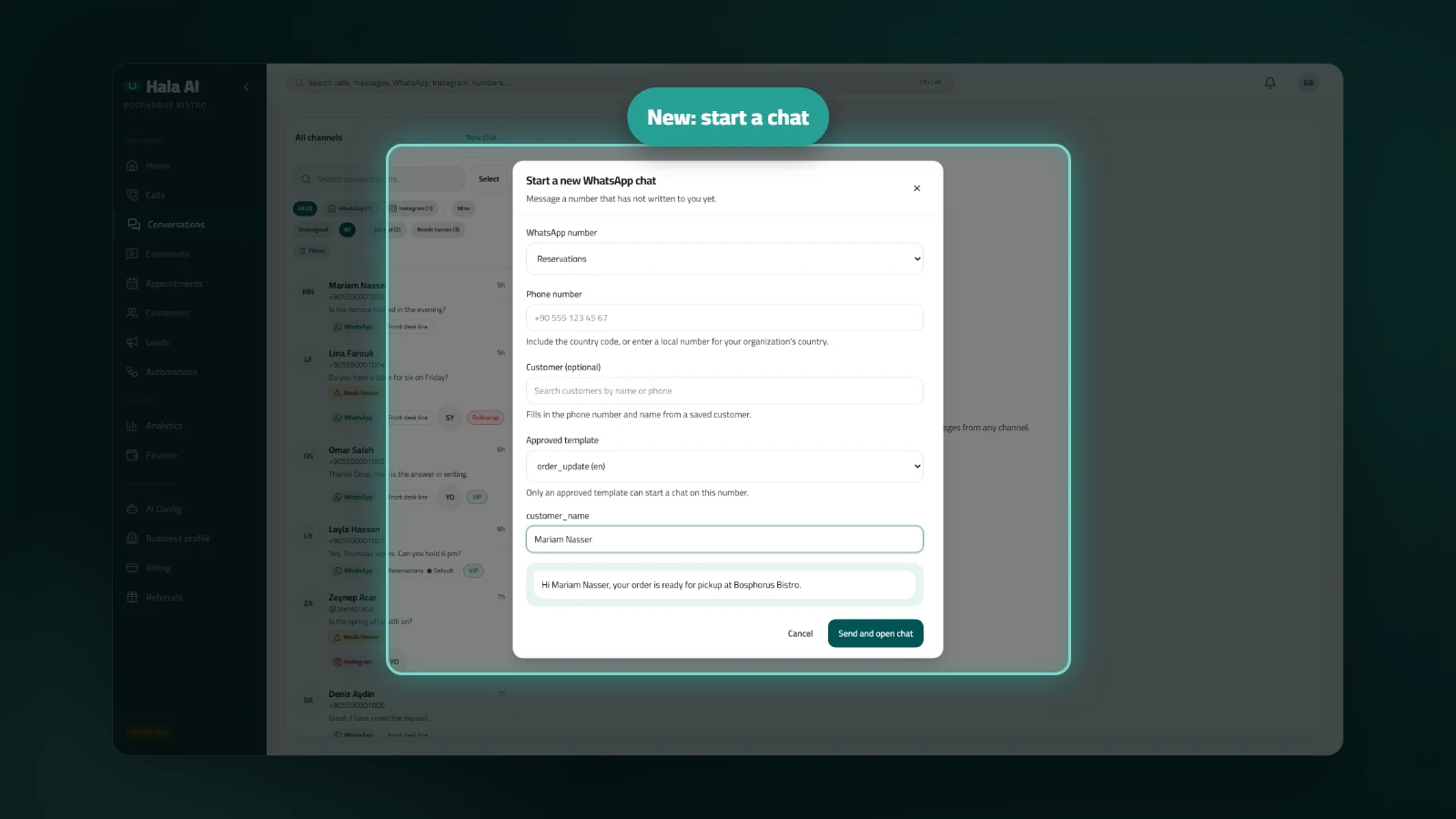
Start a new WhatsApp chat
You can now start a WhatsApp conversation from the inbox without waiting for the customer to write first. Enter the phone number, and the new chat opens at the top of the list, ready for your reply.
Where to find it
Open Conversations, the inbox for all channels. The New chat button sits in the list header, next to the title. Only WhatsApp can start a new chat from here, because Instagram, Messenger and TikTok do not let businesses start a conversation.
How to use it
- Click New chat and choose the WhatsApp number to send from.
- Type the phone number with its country code. A local number also works when your organization's country is set.
- Optionally search for a saved customer. Their phone number fills in from the record.
- For an official number, choose an approved template and fill in its variables. The preview shows the message as the customer will see it.
- For a QR-connected number there is no template. Type the text and send it.
- Click Send and open chat. The new conversation opens at the top of the list.
Limits: each template sent counts toward your monthly WhatsApp template limit. When the limit is reached, the dialog says so.
Who it helps: sales and follow-up teams that contact customers first, for example to follow up on a quote.