
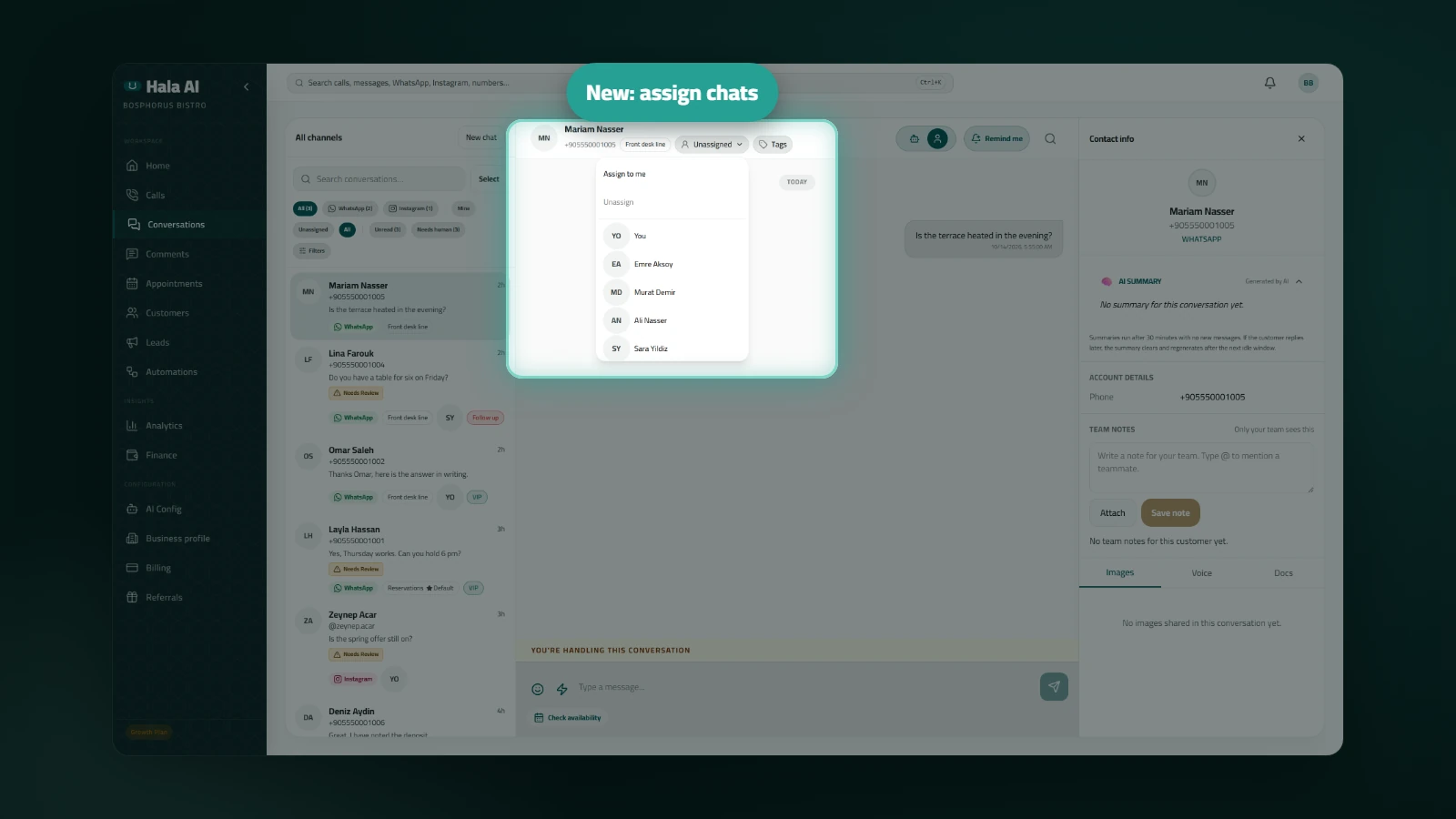
Assign chats to teammates
Assigning a chat shows your team who is handling it. Each chat on your messaging channels can have one owner. The owner's avatar appears on the chat row and in the thread header, so teammates can see who is already on a conversation before they reply.
Where to find it
Open Conversations in the dashboard and choose a chat. The assignee control sits in the thread header. Above the chat list, the Mine, Unassigned and All filters narrow the list to the chats you want to see.
How to use it
- Open the assignee control in the thread header and choose Assign to me, a teammate's name, or Unassign.
- Choose Mine to see only the chats you own, or Unassigned to find chats nobody has taken yet.
- A teammate who receives a chat gets a notice in the app. Opening the notice takes them to the chat.
- You do not get a notice for changes you make yourself.
Who it helps: teams where several people answer the same inbox and need a clear owner for each conversation.