
See which ad started a chat
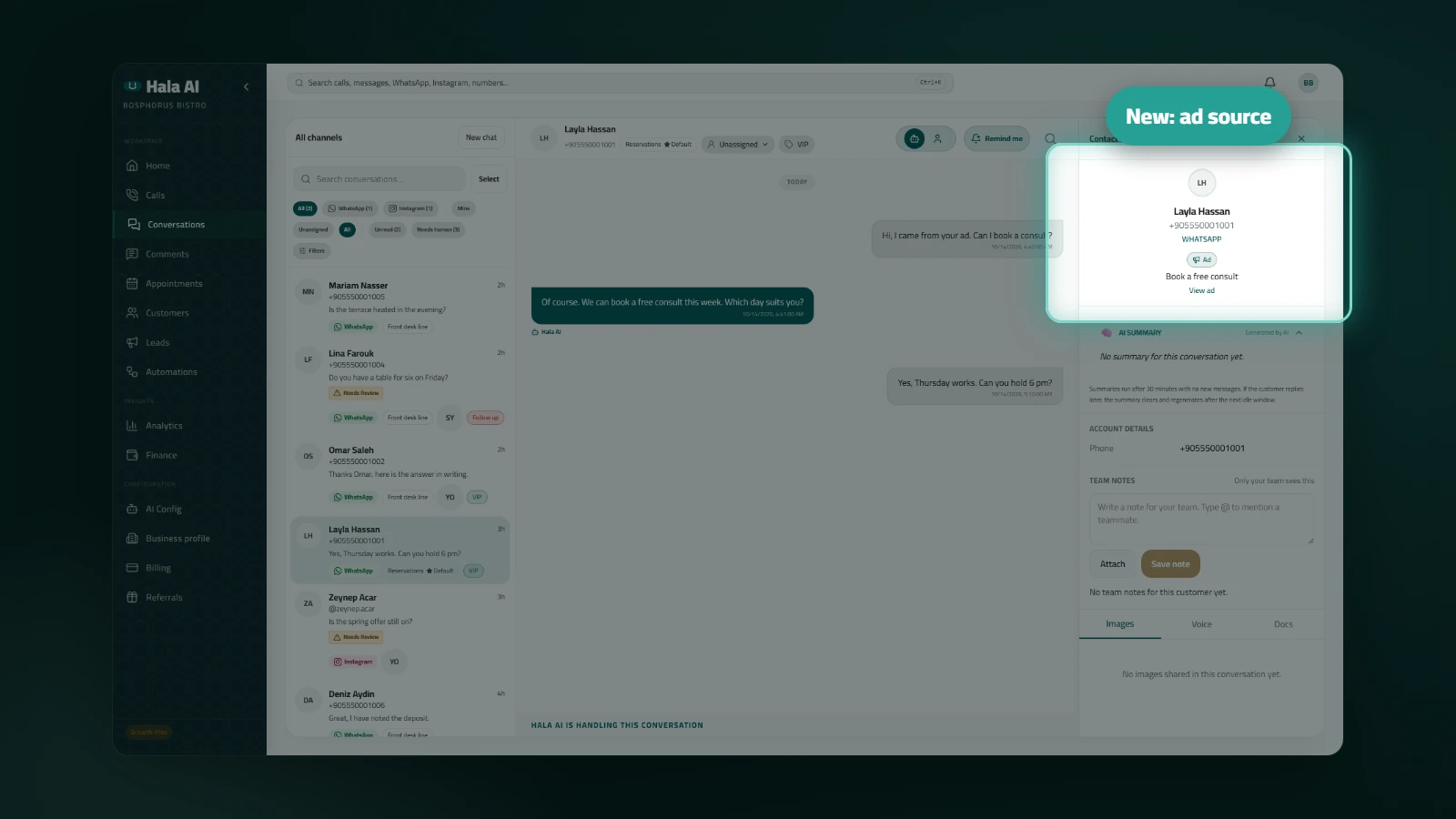
When a customer starts a chat from an ad, Hala AI records that ad on the conversation. The contact panel shows an Ad chip with the ad's headline, so you know which ad brought the customer in before you reply.
Where to find it
Open Conversations and choose a WhatsApp or Instagram chat. Tap the contact's name or photo in the thread header to open the contact panel. The Ad chip appears there.
What you will see
- The Ad chip, with the ad headline beside it.
- A View ad link, when the chat includes a link to the ad. Chats without a link show the chip and the headline only.
- The first ad is kept. If the customer later clicks a different ad, the chat still shows the one that started it.
- Chats that did not start from an ad show no chip.
Limits
Ad details are recorded for official WhatsApp numbers and for Instagram chats. QR-connected WhatsApp numbers do not record them. If the platform does not send the ad details with the first message, no chip appears.
Who it helps: teams that run ads on WhatsApp or Instagram and want to see which ad brought each new conversation, from the inbox.